Game
PC performance guide
FPS check available

Inzoi

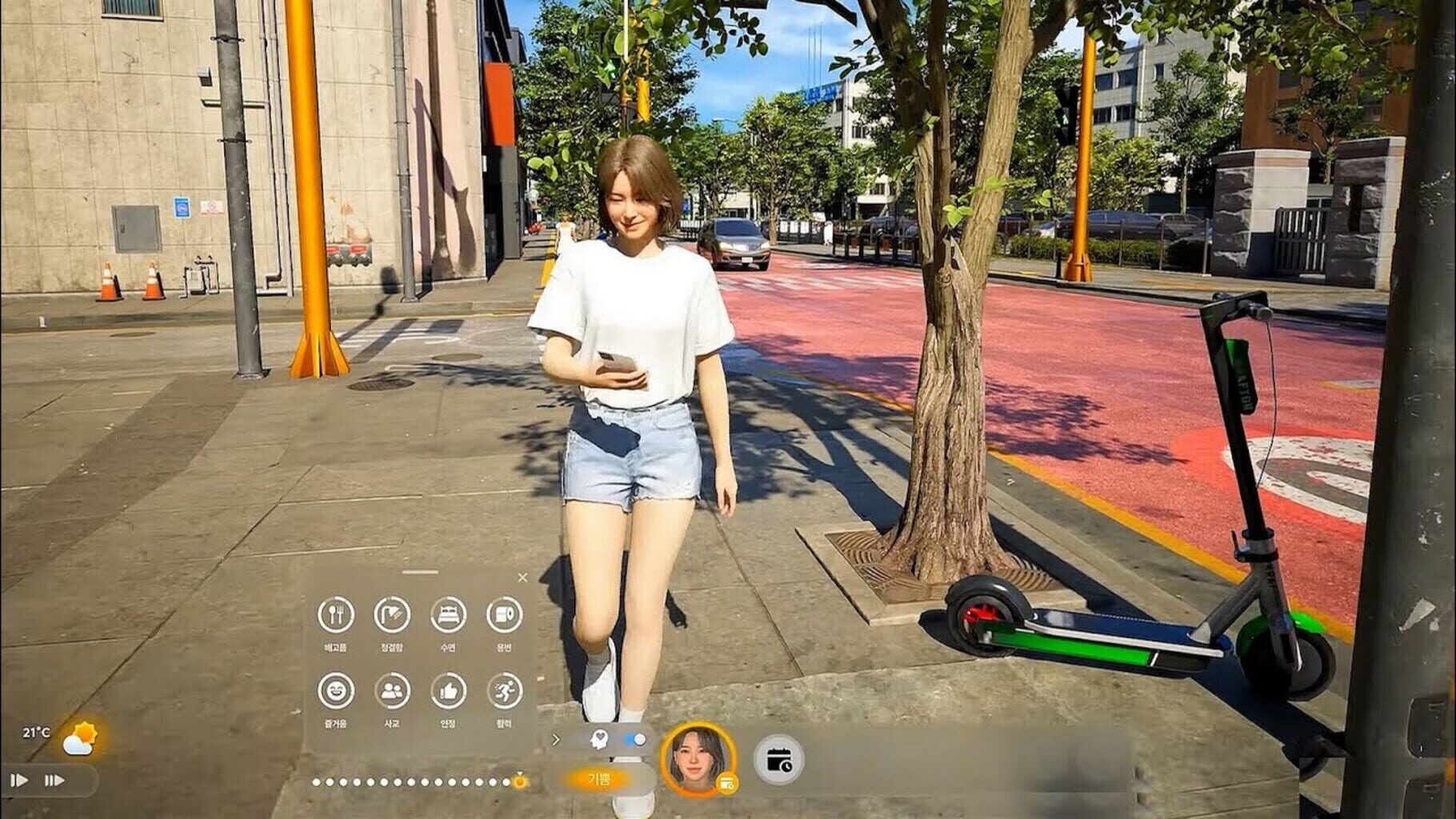
Inzoi is a life simulation game where players become gods within the game, allowing them to change everything as they wish and experience endless new stories in various forms of life.

SimulatorAdventureXbox Series X|SPC (Microsoft Windows)PlayStation 5
ReleasedMar 28, 2025
Performance data4 GPU profiles
Catalog sourcemanual

This page is a PC performance guide. Check how the Windows version should run on your hardware, then raise the FPS target if you want SpecBeacon to suggest what to upgrade first.

Inzoi
Saved PCSave your PC once

Save your GPU, CPU, RAM, and resolution to jump straight into this game's FPS check.

Set up my PC
FPS check

Pick the PC to test

Choose your GPU and resolution first. If you want 90 or 120 FPS, SpecBeacon can suggest what to upgrade next.

Main stepEnter your PC here, then run Check FPS.The result card will jump into view as soon as the estimate is ready.
1Game
2Your PC
3Target

Game

InzoiFPS check available
Step 2

Your PC

Start here. Pick your GPU first, then add CPU, resolution, and RAM if needed.

PC type
1. Pick your graphics card2. Add your processor3. Choose resolution and RAM
GPU · Graphics card

This has the biggest impact on FPS. Start here.

CPU · Processor

Add this after GPU for a more accurate estimate.

Resolution
RAM
Step 3

Target FPS and upgrade plan

Want 90 or 120 FPS instead of 60? Pick a target and SpecBeacon will point to the first upgrade worth making.

Target FPS

Leave this at 60 for a quick FPS answer, or raise it to 90 or 120 to get upgrade guidance too.

Pick your GPU to unlock the FPS check.

InzoiThen choose your GPU
Results

No estimate yet

Guide

How to use this page

SpecBeacon mixes official PC requirements, benchmark coverage, linked review pages, and update notes so you can make a quicker hardware decision without hopping across multiple tabs.

Check firstFPS estimate
Benchmark coverage4 GPU / 5 CPU
Reaction signal1 sources
  • Use the FPS card first if you want a quick answer for your current PC.
  • Use the update and review links below when a game is new, patched often, or still getting mixed reports.
  • When benchmark coverage is thin, treat the estimate as directional and prioritize the GPU before chasing smaller CPU gains.
Read next

Related guides

If you are still deciding whether this game is worth an upgrade, these short guides explain how SpecBeacon reads FPS targets, PC requirements, and GPU-first upgrade decisions.

Updates

Latest notes

Steam App ID 2456740

[v0.7.1] Hotfix Details
OfficialPatch Notes
Community Announcements · chick2026-03-27Hello, Creators.We would like to inform you that the following hotfix has been applied to inZOI. Please refer to the details below for more information. ◆ Hotfix Details◽️ Patch Date: March 27, 2026◽️ Game Version: Windows PC Steam: 20260327.11355.WMac Steam: 20260327.11356.MBug FixesGameplayFixed an issue where lot updates did not work properly when continuing from a March 2025 save file or a s...
[v0.7.0] Patch Notes
OfficialPatch Notes
Community Announcements · js.lee2026-03-26◆ Update Information◽️ Patch Date: March 26, 2026◽️ Build Version:Windows PC Steam: 20260325.11297.WMac Steam: 20260325.11293.M It’s been one year since we released inZOI in Early Access.Since then, we’ve achieved a great deal, but what we’re most proud of is staying true to the goal we set from the beginning: communicating closely with our players to develop the game together.Even with this one-y...
Property System Updates
OfficialPatch Notes
Community Announcements · js.lee2026-03-20Hello, Creators.inZOI's v0.7.0 update is scheduled for release on March 26. This update will introduce standardized property sizes to Canvas.With these changes, Creators can expect to see the following improvements.Increased reusability for buildings created in different properties with identical sizes.Clearer indication of dimensions and orientation for improved preset usability.Easier browsing a...
inZOI Next Engine Preview End Notice
OfficialPatch Notes
Community Announcements · js.lee2026-03-20Hello, Creators.The Next Engine Preview beta branch, which has been running since March 5, will come to a close with the March 26 update. We would like to extend our sincere gratitude to all Creators who participated during the beta period.◆ Test ResultsBased on the data and feedback collected during the beta branch period, we have confirmed improved stability through the Unreal Engine 5.4 → 5.6 u...
Marching Closer to the March Update (Updated)
OfficialPatch Notes
Community Announcements · Denice2026-03-13Hello. Happy Friday!This week as well, we’re bringing you a variety of updates about inZOI.The video released today includes several updates planned for the March update. We had originally prepared an engine update, but unfortunately we won’t be able to release it in March. Instead, the engine will be updated to Unreal Engine 5.6 in the April update.It’s a bit disappointing. There are still some s...
FAQ

Quick answers

Does this page include PC performance data?

Yes. SpecBeacon can estimate FPS for this game with the current seeded benchmark coverage.

Is the score an official review score?

No. The SpecBeacon Score is an internal reaction signal. It is not copied from Metacritic, OpenCritic, Steam, or the publisher.

What matters most for getting more FPS?

In most cases, GPU choice and resolution move the estimate the most. CPU and RAM usually refine the result rather than replace the GPU signal.