Game
PC performance guide
FPS check available

THE FINALS

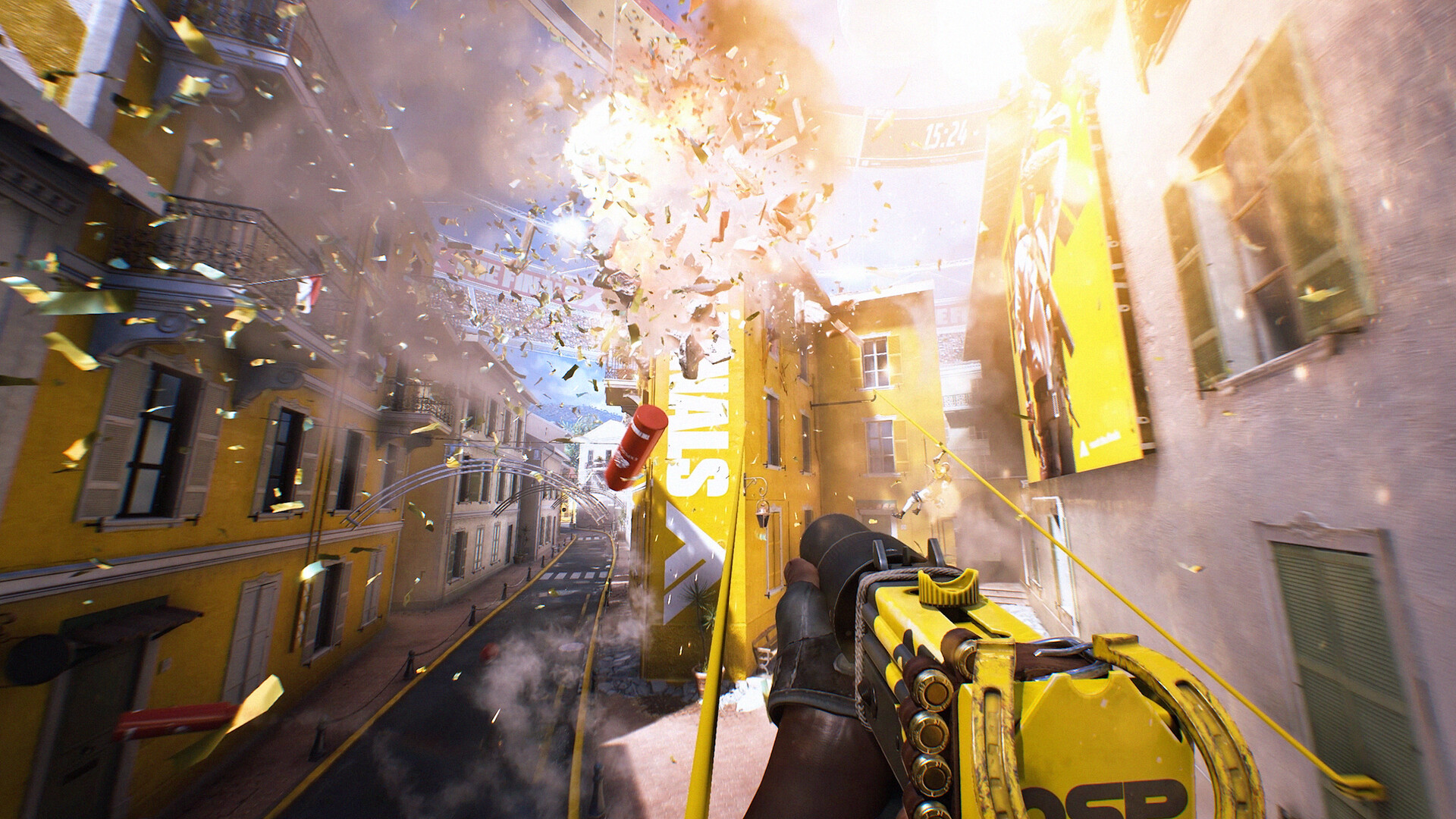
Physics-heavy competitive shooter built around destructible arenas, classes, and cashout objectives.

FPSMultiplayerPC
ReleasedDec 7, 2023
Performance data4 GPU profiles
Catalog sourcemanual

This page is a PC performance guide. Check how the Windows version should run on your hardware, then raise the FPS target if you want SpecBeacon to suggest what to upgrade first.

THE FINALS
Saved PCSave your PC once

Save your GPU, CPU, RAM, and resolution to jump straight into this game's FPS check.

Set up my PC
FPS check

Pick the PC to test

Choose your GPU and resolution first. If you want 90 or 120 FPS, SpecBeacon can suggest what to upgrade next.

Main stepEnter your PC here, then run Check FPS.The result card will jump into view as soon as the estimate is ready.
1Game
2Your PC
3Target

Game

THE FINALSFPS check available
Step 2

Your PC

Start here. Pick your GPU first, then add CPU, resolution, and RAM if needed.

PC type
1. Pick your graphics card2. Add your processor3. Choose resolution and RAM
GPU · Graphics card

This has the biggest impact on FPS. Start here.

CPU · Processor

Add this after GPU for a more accurate estimate.

Resolution
RAM
Step 3

Target FPS and upgrade plan

Want 90 or 120 FPS instead of 60? Pick a target and SpecBeacon will point to the first upgrade worth making.

Target FPS

Leave this at 60 for a quick FPS answer, or raise it to 90 or 120 to get upgrade guidance too.

Pick your GPU to unlock the FPS check.

THE FINALSThen choose your GPU
Results

No estimate yet

Guide

How to use this page

SpecBeacon mixes official PC requirements, benchmark coverage, linked review pages, and update notes so you can make a quicker hardware decision without hopping across multiple tabs.

Check firstFPS estimate
Benchmark coverage4 GPU / 4 CPU
Reaction signal1 sources
  • Use the FPS card first if you want a quick answer for your current PC.
  • Use the update and review links below when a game is new, patched often, or still getting mixed reports.
  • When benchmark coverage is thin, treat the estimate as directional and prioritize the GPU before chasing smaller CPU gains.
Read next

Related guides

If you are still deciding whether this game is worth an upgrade, these short guides explain how SpecBeacon reads FPS targets, PC requirements, and GPU-first upgrade decisions.

Updates

Latest notes

Steam App ID 2073850

Store Update 9.14.0 
OfficialPatch Notes
Community Announcements · Lootfisk2026-03-19This is it, Contestants, one more week until we officially launch Season 10 of THE FINALS. Keep an eye on our social channels, we have a lot more to share. It’s also time for you to get those last Battle Pass levels, finish your Ranked and World Tour seasonal journey and participate in the final push in Sponsor Showdown and make the CEOs proud. We’ll see you in the Arena. STORE | RAYZER S-TEAM SET...
Store Update 9.13.0 
OfficialPatch Notes
Community Announcements · Lootfisk2026-03-12LUCK N’ LOADED What’s at the end of a rainbow? Looks like a brand-new Store update! Don’t forget Sponsor Showdown is also still live and we’re already seeing some Contestants putting a lot of work in the Arena to help their Sponsor climb the rankings! Nothing is set in stone, so don’t let your guard down just yet. The CEOs are watching! STORE | CHARM OFFENSIVE SET If you’re in need of a new pair o...
Hotfix 9.12.1
OfficialPatch Notes
Community Announcements · Lootfisk2026-03-06We’ve pushed a fix to an issue where the Discord SDK saved excessive user information when logging was enabled. No private and/or personal data was collected or shared by Embark. This fix has removed the excessive logging from happening. For additional measures, we’re conducting a deeper audit to ensure no further issues. If you have questions or concerns, please contact our support team.
Update 9.12.0 
OfficialPatch Notes
Community Announcements · Lootfisk2026-03-05It is time for you to pick the sponsor you want to represent for this season’s Sponsor Showdown Event and make them proud. We’ve also enabled the Chun Jie Bonus XP and Fans Event to make your progress even faster! All of this alongside a brand new Store update, free Twitch drops and some bug-fixes, check it all out below: EVENT | SPONSOR SHOWDOWNSponsor Showdown is now live, and it’s your mission...
Store Update 9.11.0 
OfficialPatch Notes
Community Announcements · Lootfisk2026-02-26We’ve restocked the Store with a fresh new drop of content alongside a sale on some old favorites, so make sure to take a look! This is also the last week to play Bank It, so jump in, collect red envelopes, and don’t forget to cash them in!STORE UPDATE | CURTAIN CALLERIt’s time for you to be making your ceremonial entrance into the Arena with the Curtain Caller set. Stay focused and let the other...
FAQ

Quick answers

Does this page include PC performance data?

Yes. SpecBeacon can estimate FPS for this game with the current seeded benchmark coverage.

Is the score an official review score?

No. The SpecBeacon Score is an internal reaction signal. It is not copied from Metacritic, OpenCritic, Steam, or the publisher.

What matters most for getting more FPS?

In most cases, GPU choice and resolution move the estimate the most. CPU and RAM usually refine the result rather than replace the GPU signal.