Game
PC performance guide
FPS check available

Tom Clancy's Rainbow Six Siege

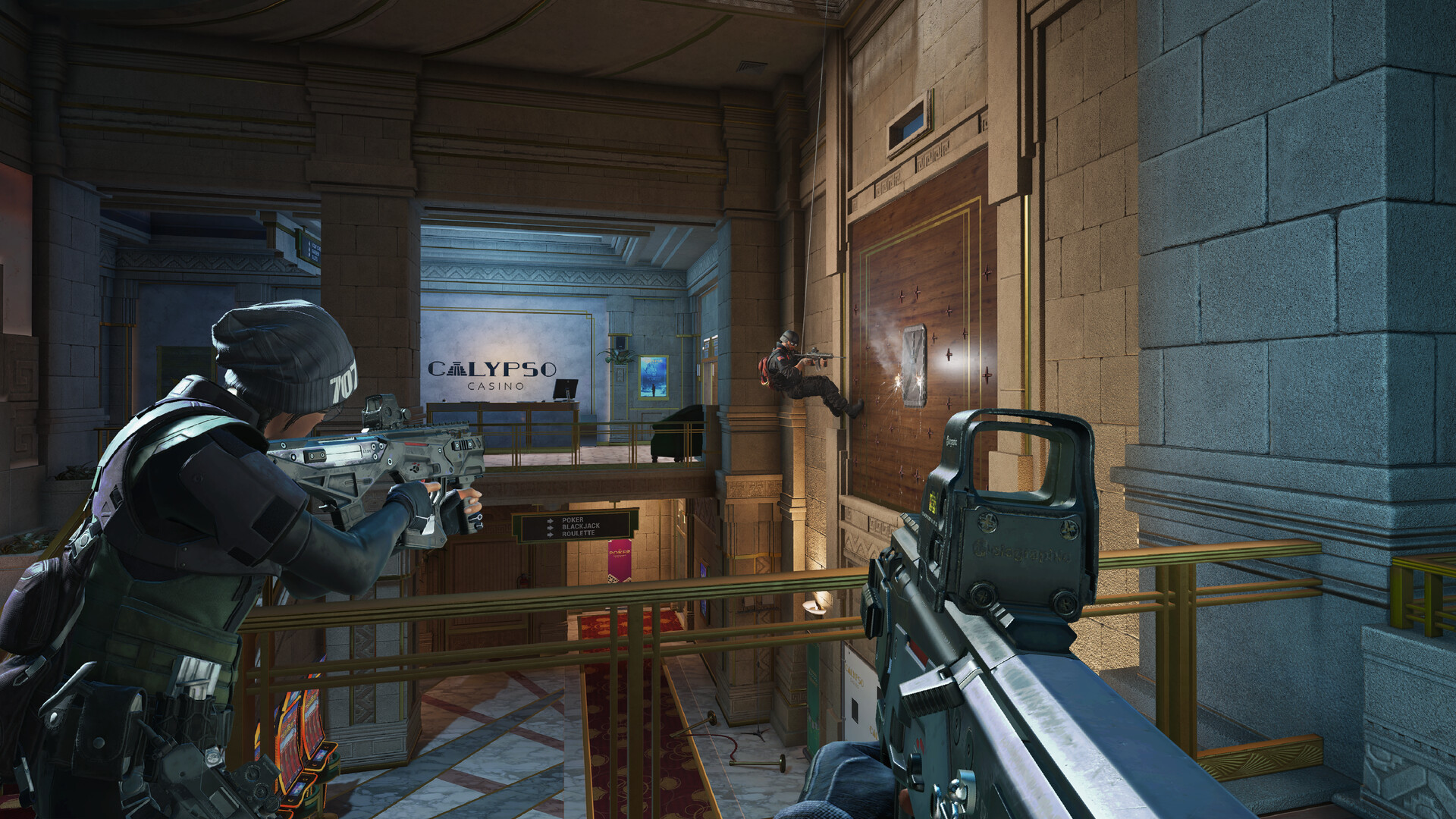
Operator-based tactical shooter centered on map destruction and utility timing.

ShooterCompetitivePC
ReleasedDec 1, 2015
Performance data5 GPU profiles
Catalog sourcemanual

This page is a PC performance guide. Check how the Windows version should run on your hardware, then raise the FPS target if you want SpecBeacon to suggest what to upgrade first.

Tom Clancy's Rainbow Six Siege
Saved PCSave your PC once

Save your GPU, CPU, RAM, and resolution to jump straight into this game's FPS check.

Set up my PC
FPS check

Pick the PC to test

Choose your GPU and resolution first. If you want 90 or 120 FPS, SpecBeacon can suggest what to upgrade next.

Main stepEnter your PC here, then run Check FPS.The result card will jump into view as soon as the estimate is ready.
1Game
2Your PC
3Target

Game

Tom Clancy's Rainbow Six SiegeFPS check available
Step 2

Your PC

Start here. Pick your GPU first, then add CPU, resolution, and RAM if needed.

PC type
1. Pick your graphics card2. Add your processor3. Choose resolution and RAM
GPU · Graphics card

This has the biggest impact on FPS. Start here.

CPU · Processor

Add this after GPU for a more accurate estimate.

Resolution
RAM
Step 3

Target FPS and upgrade plan

Want 90 or 120 FPS instead of 60? Pick a target and SpecBeacon will point to the first upgrade worth making.

Target FPS

Leave this at 60 for a quick FPS answer, or raise it to 90 or 120 to get upgrade guidance too.

Pick your GPU to unlock the FPS check.

Tom Clancy's Rainbow Six SiegeThen choose your GPU
Results

No estimate yet

Guide

How to use this page

SpecBeacon mixes official PC requirements, benchmark coverage, linked review pages, and update notes so you can make a quicker hardware decision without hopping across multiple tabs.

Check firstFPS estimate
Benchmark coverage5 GPU / 4 CPU
Reaction signal1 sources
  • Use the FPS card first if you want a quick answer for your current PC.
  • Use the update and review links below when a game is new, patched often, or still getting mixed reports.
  • When benchmark coverage is thin, treat the estimate as directional and prioritize the GPU before chasing smaller CPU gains.
Read next

Related guides

If you are still deciding whether this game is worth an upgrade, these short guides explain how SpecBeacon reads FPS targets, PC requirements, and GPU-first upgrade decisions.

Updates

Latest notes

Steam App ID 359550

Y11S1.1 PATCH NOTES
OfficialPatch Notes
Community Announcements · Ubi_Zurik2026-03-24See the upcoming changes with the release of Y11S1.1. BALANCINGFLORESA shorter delay allows Flores to follow up behind his drone more quickly, improving his pacing during pushes.RCE-RATERO CHARGEReduced delay to exit the drone after triggering the explosion to 1 second (from 2).IANAExtending the duration gives Iana additional time to gather intel with her Gemini.GEMINI REPLICATORDuration: Increase...
OPERATION SILENT HUNT BEGINS NOW
OfficialPatch Notes
Community Announcements · CRM_OP******2026-03-03SIEGE WELCOMES A LEGEND A legend joins Siege as Operation Silent Hunt gets underway. A man shrouded in mystery, the new Operator is none other than Solid Snake. DISCOVER OPERATION SILENT HUNT Aside from Solid Snake, this new season brings tons of new features, including balancing updates, a 1v1 Arcade mode later in the season, new modernized maps and more! GET THE NEW BATTLE PASS {STEAM_CLAN_IMAGE...
Y11S1 PATCH NOTES ADDENDUM
OfficialPatch Notes
Community Announcements · Ubi_Zurik2026-03-03Find the updates and fixes made over the course of the Y11S1 Season Test Server. Check out the full Operation Silent Hunt Patch Notes here.BUG FIXESGAMEPLAYFixed - Two gadgets are sometimes highlighted in the HUD when Solid Snake uses the OSP Pouch.Fixed - Dropped OSP Pouches have the wrong alliance color when pinged.Fixed - Solid Snake's knife gets stuck in his hand when repeatedly switching weap...
Y11S1 DESIGNER'S NOTES
OfficialPatch Notes
Community Announcements · Ubi_Zurik2026-02-18Y11S1 Designer’s NotesIn this latest edition of Designer's Notes, we'll go into detail about the balancing changes that'll come with the Y11S1 update and give you some insight into the reasons behind them.BALANCING MATRIX AND TOP OPERATOR BANSWIN DELTA VS. PRESENCEATTACKDEFENCEOPERATOR BAN RATEATTACKDEFENCEOPERATOR BALANCINGSKOPÓSWe are sharpening Skopós' identity by reducing the Shells' health wh...
PLAYER PROTECTION IN YEAR 11
OfficialPatch Notes
Community Announcements · Ubi_Zurik2026-01-30In Year 11, the Siege team is delivering important changes across our account security, anti-cheat, and anti-toxicity systems. This year, we're sharing an early update on Player Protection ahead of the Year 11 Reveal, giving players clear visibility into what we're working on.These updates build on recent learnings and reinforce our long-term commitment to fair competition and safer player experie...
FAQ

Quick answers

Does this page include PC performance data?

Yes. SpecBeacon can estimate FPS for this game with the current seeded benchmark coverage.

Is the score an official review score?

No. The SpecBeacon Score is an internal reaction signal. It is not copied from Metacritic, OpenCritic, Steam, or the publisher.

What matters most for getting more FPS?

In most cases, GPU choice and resolution move the estimate the most. CPU and RAM usually refine the result rather than replace the GPU signal.